🧹Free · With every account

Free SketchUp toolscleanup · optimize · library

Sign up at lotuz.ai and use the SketchUp toolkit inside Lotuz Dashboard — no credits, no subscription. GIS and Sync are Lotuz Arch; everything below is free.

How to open them

01

Create an account

Sign up on lotuz.ai — no card required.

02

Install Lotuz for SketchUp

Install the Lotuz extension (Dashboard + Library). Windows · SketchUp 2025+.

03

Open Dashboard

Extensions → Lotuz Dashboard. Cleanup · Library · Utils tabs are always available.

Not in the free set

Lotuz Sync

SketchUp → 3ds Max live link — Lotuz Arch plan.

Lotuz GIS

Planning maps & terrain — Lotuz Arch plan.

Lotuz Photoshop (credits)

AI image tools in Photoshop — billed per credit.

Real UI inside SketchUp

Screenshots of Lotuz Dashboard (HtmlDialog in SketchUp) — the same panel after install.

Cleanup tab — purge, stray edges, deep cleanup, heavy scan
Cleanup tab
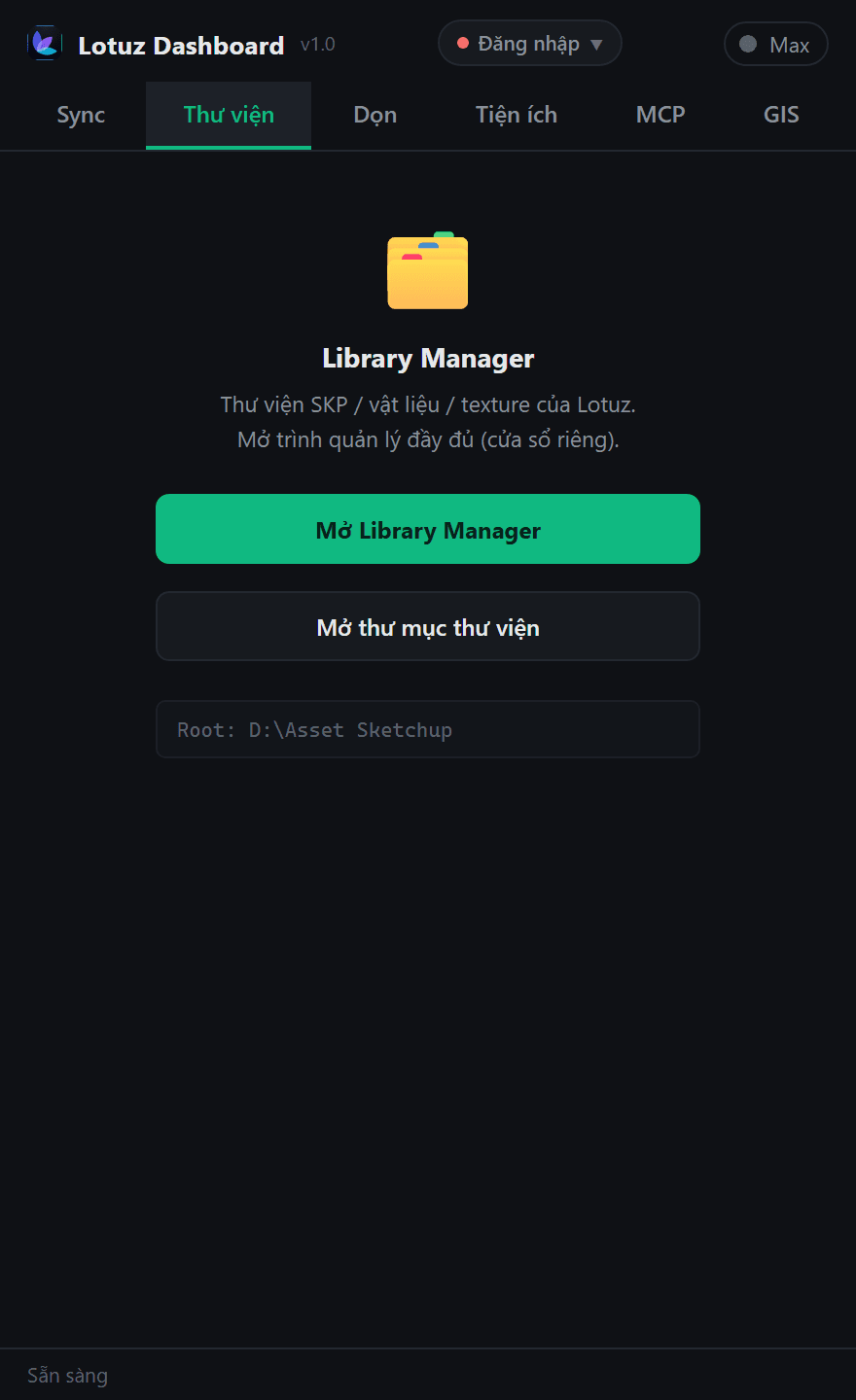
Library tab — open Library Manager
Library tab
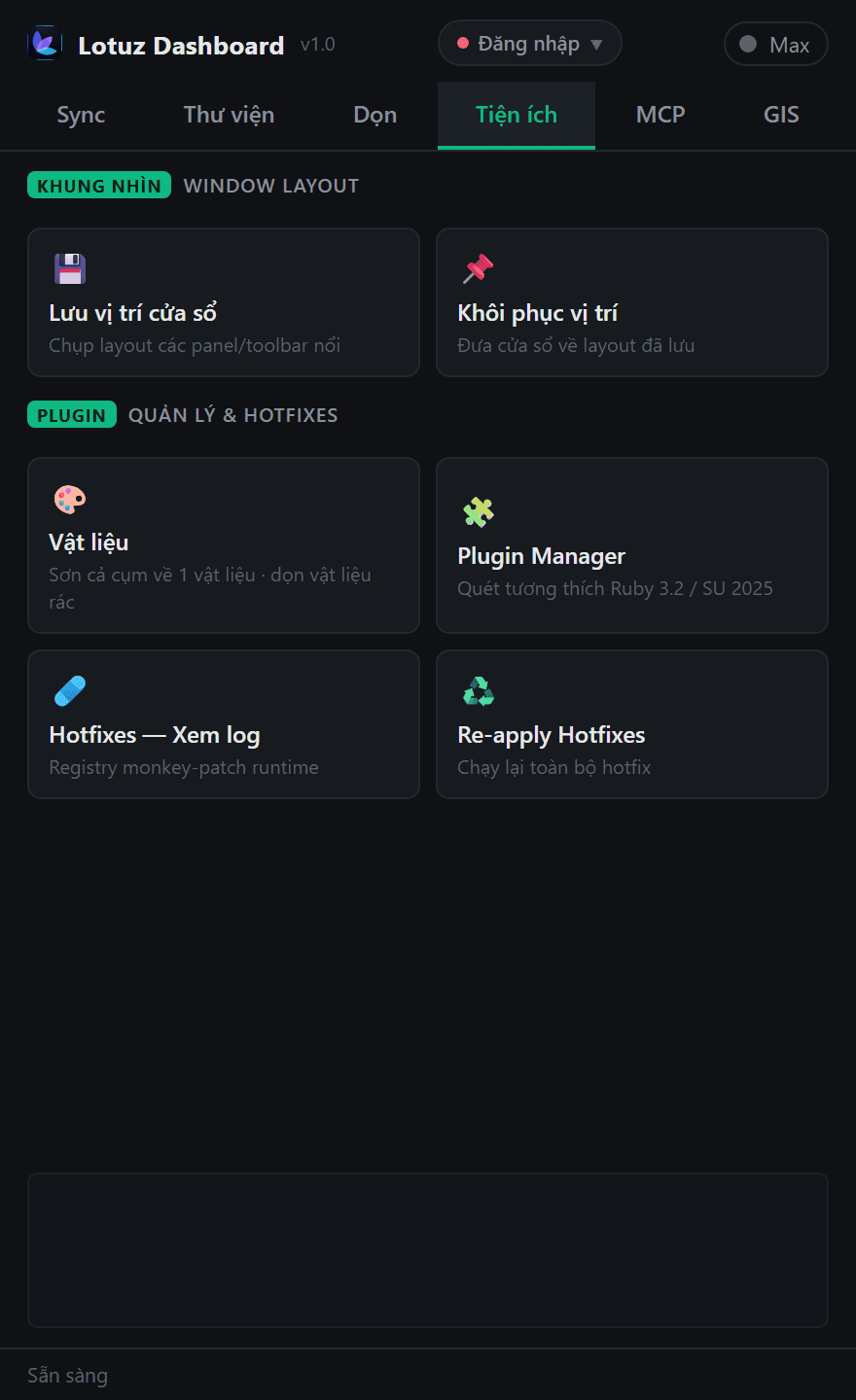
Utils tab — Window Layout, Materials, Plugin Manager
Utils tab
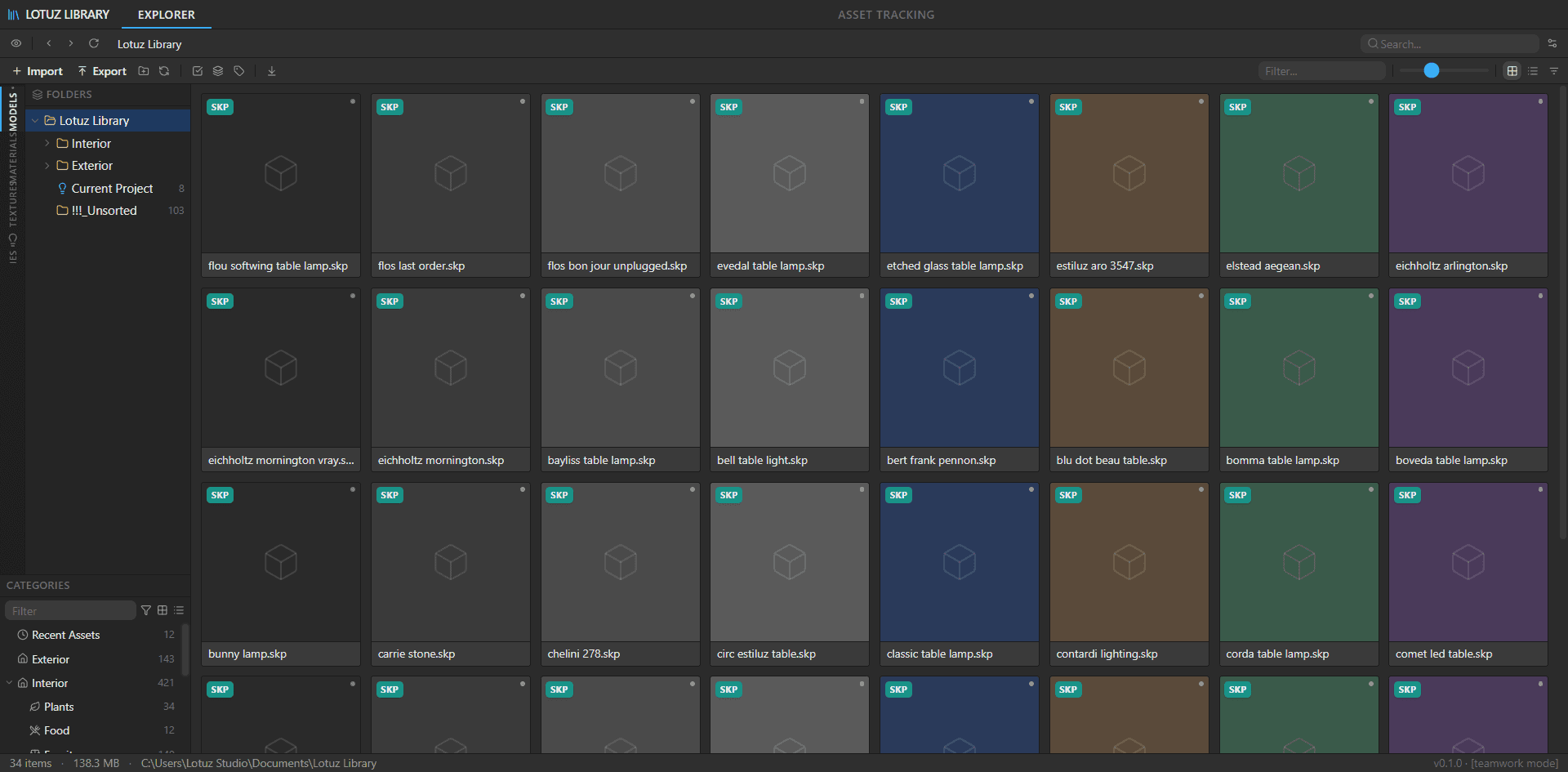
Library Manager — browse SKP / materials / textures
Library Manager (separate window)

Every free tool

Grouped the same way as in Lotuz Dashboard.

🧹

Drawing cleanup

Cleanup tab

Fix DWG/FBX imports, junk geometry, Enscape proxies — each step is undoable.
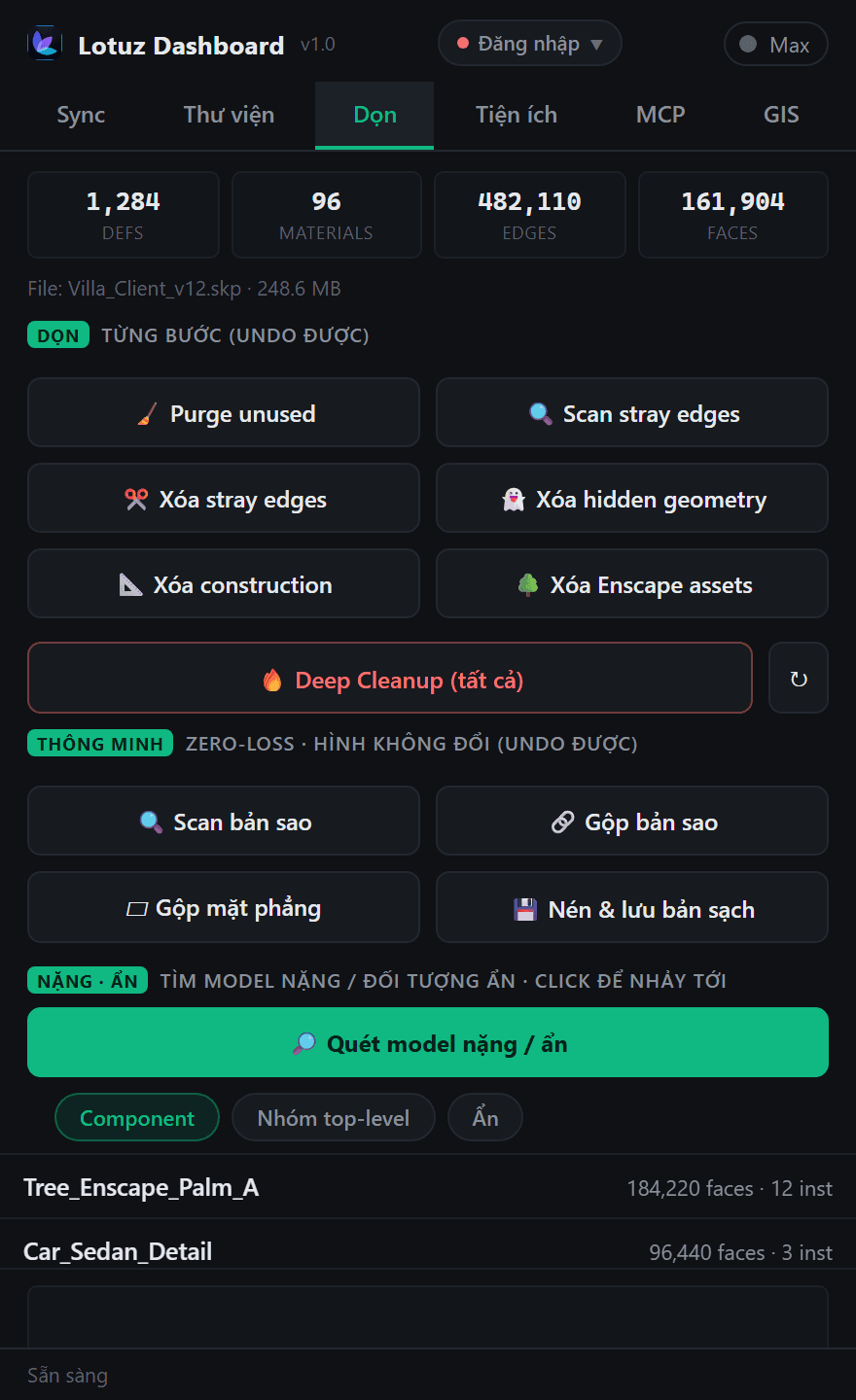
Cleanup tab — purge, stray edges, deep cleanup, heavy scan

Cleanup tab

  • Purge unusedRemove unused materials, definitions, tags and styles.
  • Scan & delete stray edgesEdges not on faces — the usual weight after CAD import.
  • Delete hidden geometryHidden edges/faces at every group/component level.
  • Delete constructionConstruction lines/points at root and inside groups.
  • Remove Enscape assetsTrees, lights, 3D people from Enscape + purge their definitions.
  • Deep CleanupRuns purge → hidden → construction → stray → dedupe → coplanar merge → purge. One SketchUp operation per step.
💾

File-size optimization (zero-loss)

Geometry unchanged

Real MB savings without warping the model — merge duplicate defs and compact the file.

  • Scan duplicatesCount duplicate definitions and estimate reclaimable MB — read-only.
  • Merge duplicatesMany identical definitions become one; instances look the same. Undoable.
  • Merge coplanar facesMerge coplanar faces with the same material/layer; kills triangulation edges. Steep terrain stays.
  • Compact & save cleanFull purge + write a clean _compact.skp so deleted data is not stuck on disk. Open file stays untouched.
🔎

Find & fix heavy objects

Model scan

See which components burn faces — click to zoom, unhide hidden objects.

  • Heavy / hidden scanLists heaviest components, top-level groups, and objects hidden by Hide or off tags.
  • Click to jumpOne click zooms to the culprit; hidden rows unhide then jump.
  • Reveal allUnhide everything and turn tags back on — undoable.
🖼️

Resize bitmaps / textures

Map MB

4K–8K textures pasted everywhere bloat SKP files. Lotuz can resize maps while keeping UVs.

  • Downscale large texturesResize oversized bitmaps (e.g. under ~1000px edge) through helper pipeline — aspect and UV tiling preserved.
  • Client-ready filesLighter models for handoff, test renders, or weak machines.
  • With material purgeCombine with Purge and material cleanup to drop orphan maps after resize.
📚

Personal SKP library

Library Manager

Your studio's models, materials and textures — not locked to 3D Warehouse.

Library Manager — browse SKP / materials / textures

Library Manager (separate window)

  • Models · Materials · TexturesFolder tree, thumbnails, fast browse on disk (default D:/Asset Sketchup or your root).
  • Place / import / exportDrop components into the scene; save selection back to the library (context menu → Save Lotuz Asset).
  • Thumbnail cacheFast previews with async prewarm — large libraries stay responsive.
🎨

Lotuz Materials

Paint clusters

Paint a whole group/component to one material — free at every tier, no license gate.

  • Paint overlaySets instance.material — does not spread to other instances; only Default faces show it.
  • Paint deepWrites into the definition — every instance of that def updates.
  • Strip materialsSubtree materials to nil — clean before reassigning.
  • Target from model / SKM / newPick existing materials, load .skm from the library, or create color + alpha.
🛠️

Workspace utilities

Utils tab

Keep window layout and SketchUp plugin health under control.

Utils tab — Window Layout, Materials, Plugin Manager

Utils tab

  • Window Layout — save / restoreSnapshot floating panels/toolbars; restore after another machine or UI reset.
  • Plugin ManagerScan .rb files, metadata, Ruby 3.2 / SketchUp 2025 compatibility, enable/disable.
  • HotfixesRuntime monkey-patches (e.g. PlaceMaker Overpass HTTPS/mirror) — log inside Dashboard.
🎛️

Lotuz Dashboard

One panel

All free tools plus Sync/GIS entry (if licensed) in one HtmlDialog.

  • Five tabsSync · Library · Cleanup · Utils · MCP — Extensions → Lotuz Dashboard.
  • Safe undoEach cleanup action is one SketchUp operation — Ctrl+Z step by step.
  • Runs on your machineCleanup and library do not upload your model to the cloud.

FAQ

Is there a monthly fee?

No. Free tools ship with every registered Lotuz account. Only Sync, GIS (Lotuz Arch) and Photoshop credits are paid.

Which SketchUp version?

SketchUp 2025+ on Windows is recommended. Dashboard and Library are verified there.

Can Deep Cleanup break the model?

It runs in undoable steps. Save As first on client delivery files before a full deep run.

Compact vs Purge?

Purge drops unused defs/materials in the session. Compact writes a clean _compact.skp so deleted data is gone from disk bytes.

Start free in minutes

Sign up → install the extension → open the Cleanup tab. No card.