Scan
File stats
Faces · mats · edges on the panel.
Purge, merge duplicates, scan heavy models, compact saves. Cleanup suite free with every Lotuz account — no credits, no expiry.
Free with your account — download the Lotuz Arch installer for Clear / Library / Plugin Manager.
Requires: SketchUp 2025+ · Windows
Real UI — SketchUp Cleanup tab.
Faces · mats · edges on the panel.
Purge + hidden / Enscape junk.
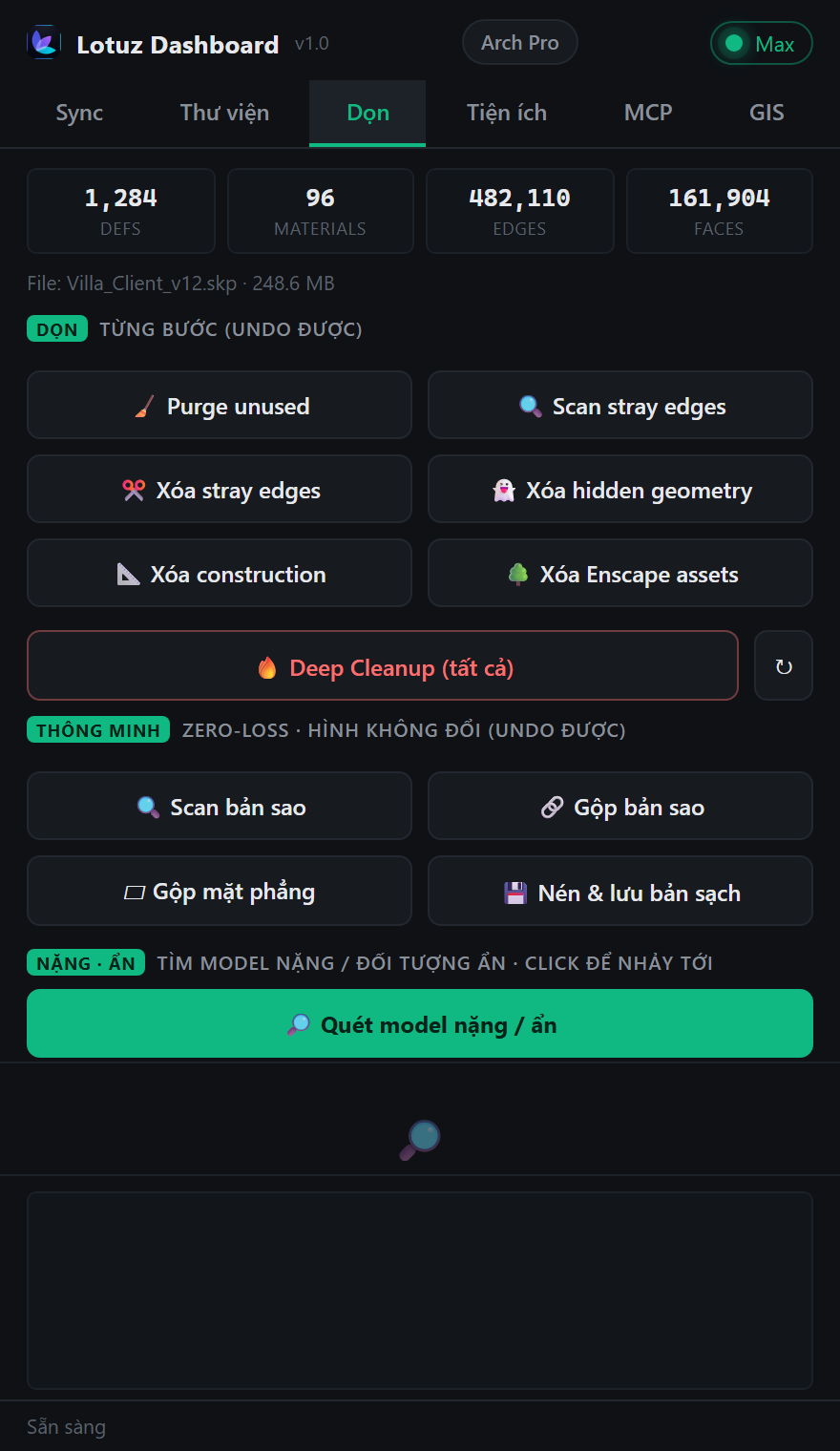
Captured from Lotuz Dashboard · Clean tab
List culprits by face count.
Included with every Lotuz account.
Faces · mats · edges on the panel.
Purge + hidden / Enscape junk.
List culprits by face count.
Included with every Lotuz account.
No mock marketing UI — real SketchUp / 3ds Max / Photoshop panels from Lotuz workflows.
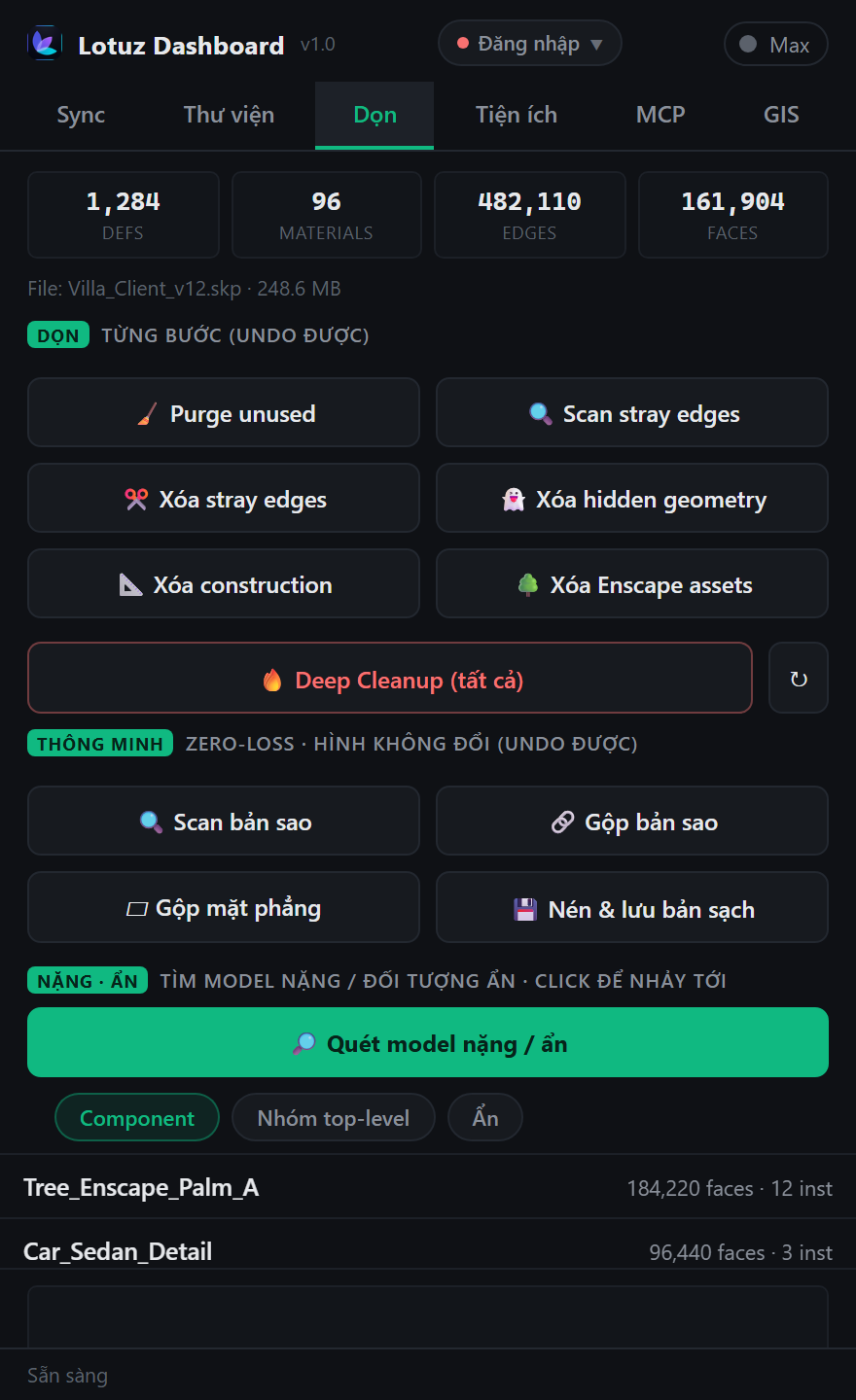
200MB+ client files before handoff or GIS import.
Purge & merge so Update/Sync stays fast.
Cut hidden faces and duplicate defs — smoother SketchUp.
Lotuz Dashboard → Clean. Free login is enough.
Faces, materials, edges — see what is heavy.
Purge, stray, deep, Enscape junk, zero-loss merges.
Heavy scan → compact clean save.
Duplicates & coplanar faces without changing form.
Rank heavy objects and jump to definitions.
No credits, no Arch plan. Account only.
Inside Lotuz Dashboard with Library / GIS / Sync.
Cleanup aims zero-loss; still save a backup before deep clean.
No. Clear is free for every account.
More: heavy scan, stray, compact save, controlled merges.
SKP · SKM · texture library
Manage 3D models, SKM materials and textures inside SketchUp. ~20,000 free curated materials — browse, preview, drag into the scene.
Learn more →Planning maps & terrain in SketchUp
Pick a region on the map and get urban massing plus terrain ready in SketchUp — site context without hand modeling.
Learn more →SketchUp to 3ds Max sync
Native geometry transfer between apps — no FBX, no axis flips, no broken texture paths.
Learn more →Block · Remove · Manage · Add SketchUp plugins
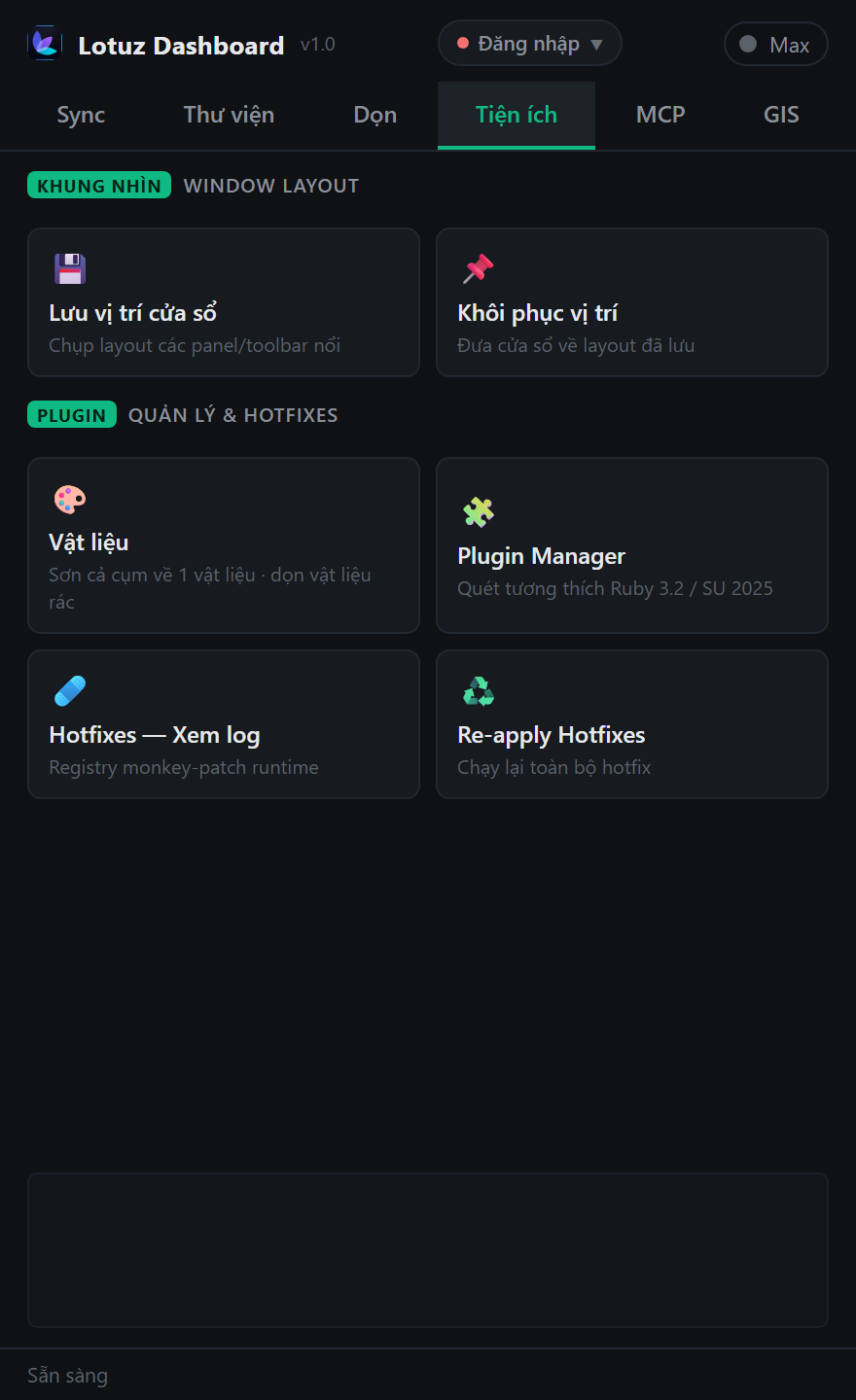
One place to control extensions: toggle, block conflicts, uninstall broken plugins, install more, and review hotfixes — free with Lotuz.
Learn more →Parametric roads in SketchUp
Generate roads from parameters — curbs, lanes, components — without hand-modeling every segment. In development; join early access.
Learn more →AI for Photoshop
Generate, relight and upscale with AI without leaving your open document. 17 models, 118 architecture prompts.
Learn more →